

Optimal content of a request
Regardless of the channel used (email, Zendesk, or flag), we invite you to provide as much information as possible to enable better analysis and resolution of the reported issue.For an issue, please provide:
- A clear and detailed description of the issue
- The steps you followed to reproduce the issue
- The expected result: what you think should happen when following the reproduction steps
- The observed result: what you actually observe when following the reproduction steps
- Screenshots and/or a video showing the issue and/or an error message
- Any information you can give us is relevant for exemple:
- Operating system (Windows, Mac, Linux, …)
- Browser and version
- Paradigm version
- If applicable, the Paradigm environment (Pre-production, Production)
- Approximate date and time
- Right-click on the web page
- Select “Inspect” or “Inspect Element”
- Click on the “Console” tab
- Capture any error messages
For a feature request, please provide:
- An exhaustive description of the expected feature
- The need or objective that this feature would address
- A concrete use case
Contact us by email
This method is recommended if you cannot access the interface or if you need to provide a large amount of detail. [email protected]Contact us via Zendesk
This method allows you to centralize exchanges and track the progress of your request.Steps to follow
- Click here to access Zendesk
- Log in or create a Zendesk account if necessary.
- Once logged in, the form is displayed.
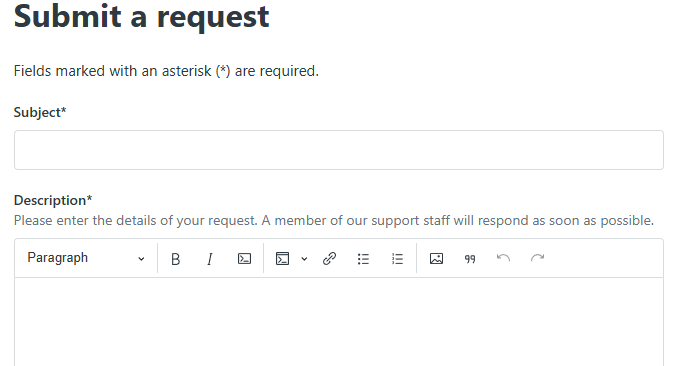
- Fill in the form with the optimal content of a request
Optimal content of a request
Optimal content of a request
For an issue
- A clear and detailed description of the issue
- The steps you followed to reproduce the issue
- The expected result: what you think should happen when following the reproduction steps
- The observed result: what you actually observe when following the reproduction steps
- Screenshots and/or a video showing the issue and/or an error message
- Any information you consider relevant:
- Operating system (Windows, Mac, Linux, …)
- Browser and version
- Paradigm version
- If applicable, the Paradigm environment (Pre-production, Production)
- Approximate date and time
- Right-click on the web page
- Select “Inspect” or “Inspect Element”
- Click on the “Console” tab
- Capture any error messages
For a feature request
- An exhaustive description of the expected feature
- The need or objective that this feature would address
- A concrete use case
- Submit the request.
Report a bug via the flag (conversation flag)
This method is recommended when the issue is directly related to a conversation or a document. It also allows you to report an issue without leaving the application during your use.Steps to follow
- Click on the flag icon in the relevant conversation.
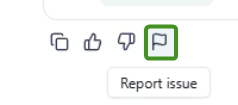
- A reporting window opens.
- Fill in all the required information.
- Check the box allowing you to share the associated document(s), if possible.
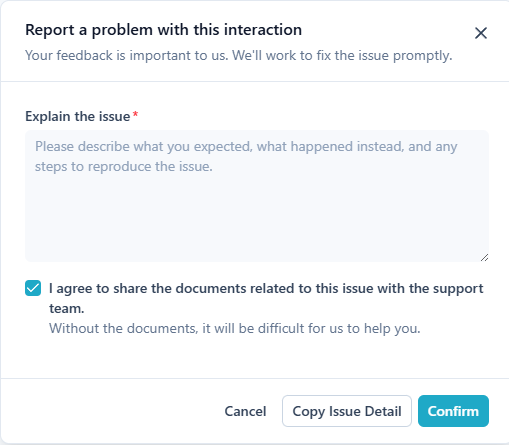
- Validate the submission of the report.
Track your requests on Zendesk
Zendesk centralizes all requests and bug reports. Creating an account allows you to track their status.- Click here to access your requests